


Flutter Google sign in Using Firebase
- Apr 20, 2020
- 2 min read

The Aim of this article is to implement Flutter Google Sign in in Flutter App
we will start the article with showing the final output of the Application. We are going to have

This Image above shows a Login Screen with the option to perform google sign the code for this Application is developed in flutter.
For whom does this Application is its for people who are working on Any flutter Application which needs a
Login for user without any hassle searching out complex youtube videos or web Pages or going through complex documentation
Starting With adding dependency in pubspec.yml file of your Flutter Application
The dependencies which we require are
firebase_auth:
google_sign_in
you can even check for latest dependencies by going to: https://pub.dev/packages/firebase_auth#-installing-tab-

now depending upon the dependencies you added into your pubspec.yml you need to import the libraries into your dart file Press pubget option on left-top of your android studio and wait for it to download them if you are using visual studio code just press Ctrl+S and it will download the required plugins check the terminal if you see there is no error then you should proceed further otherwise visit the pub.dev and search for the latest version of these plugins as they get updated regularly So for this application, I have created a dart file called login. dart (depending upon your choice you can name it anything ) We will start Login.dart by adding the required import statements

As you can see I have imported all the required imports which are firebase_auth.dart, google_sign_in.dart and the default required package is material.dart Now the second phase of this application starts where the user will need to create a class that will be able to use these packages which we have imported above. So we will be creating a StatefulWidget class and we will call it LoginPage where we are creating a firebaseAuth variable which is of final type and will hold an instance of firebaseAuth API Similarly keeping the instance of GoogeleSignIn in the variable of type GooglesiginIn

Now finally lets design the basic structure of our class

Now we will define a method signInWithGoogle() of async type and will perform siginIn operation in it.

now implementing a google SignOut method


Finally now let us look android setup for this App
I have added the required dependencies:
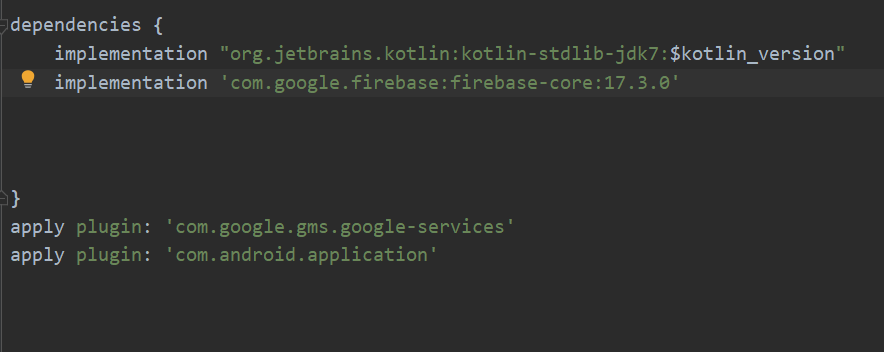
make sure u enable google Sigin in your firebase app

That's it............ and you have successfully completed setting up your application
Comments